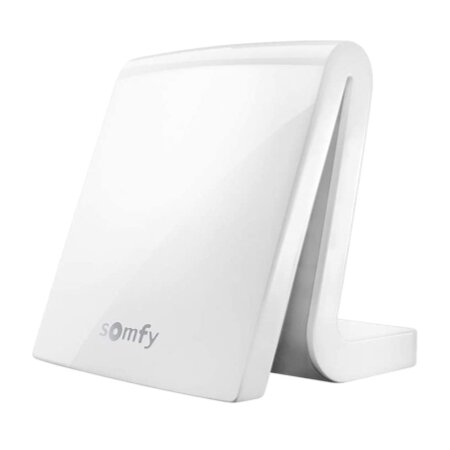
Transform your home into a smart space with the Somfy Tahoma system. This solution integrates cutting-edge technology to automatically control blinds, lights, heating, and other devices, all from a mobile app. Increase efficiency and comfort in your daily life with easy installation and intuitive features.
What is Somfy Tahoma?
Somfy Tahoma is a centralized platform that lets you manage and automate your smart home devices . With a user-friendly interface accessible from any internet-connected device, Tahoma simplifies everyday life by giving you complete control over your home environment.
Key Features
The Somfy Tahoma stands out for its adaptability and functionality. Some of its most outstanding features include:
- Multi-device compatibility : Works with a wide range of devices from different brands.
- Remote control and scenario programming : Program and adjust scenarios to run automatically at specific times.
- Automatic updates : Receive software updates that improve and expand system functionality without manual intervention.
Benefits of using Somfy Tahoma
Optimize your home with Somfy Tahoma, enjoying advantages in various aspects of domestic life:
Comfort and convenience
Elevate your comfort with automation that adapts to your daily routines. Imagine blinds that adjust according to the time of day or changing lighting to create perfect ambiances, all without you lifting a finger.
Enhanced security
Enhance your home security with presence simulation, remote lock control, and alarm activation. Tahoma helps you keep your home safe, even when you’re not there.
Energy saving
Reduce energy consumption with smart heating and lighting management, ensuring they are only used when necessary. This not only protects the planet but also lowers your energy bills.
How to install Somfy Tahoma
Installing the Somfy Tahoma system is an intuitive process designed to be accessible to everyone, without requiring advanced technical knowledge. Here’s a step-by-step guide:
- Choose a suitable location for the hub : Place the central hub in a central location within your home to ensure optimal communication with all smart devices. Avoid locations near devices that may emit a lot of interference, such as microwaves and Wi-Fi routers.
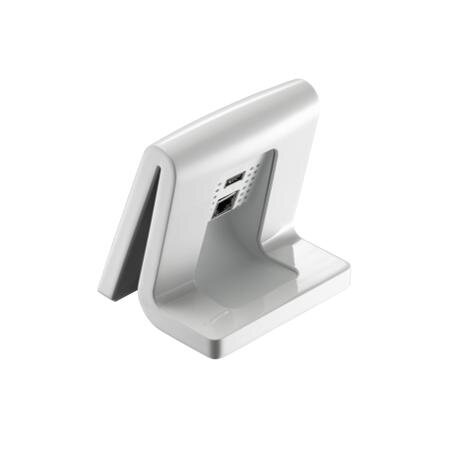
- Connect the hub to the power source : Use the included power cable to connect the hub to a power outlet. Make sure the area around the plug is clear and accessible.
- Connect the hub to your internet network : Connect the hub to your router using an Ethernet cable to ensure a more stable and secure internet connection. If you prefer a wireless connection, make sure the Wi-Fi signal in the area of the hub is strong.
- Download the Tahoma app : Install the Somfy Tahoma mobile app from your mobile app store. This app will be your control center for setting up and managing your automation system.
- Create an account and set up the hub : Follow the instructions in the app to create a new Somfy account. Then, add your hub to your home profile by scanning the QR code or manually entering the serial number.
- Add and configure devices : From the app, start adding your smart devices. Select the device type and follow the specific instructions for each one, which may include direct synchronization or scheduling scenarios and routines.
- Verify and test your setup : Once all your devices are connected and configured, perform a general test to ensure everything is working as expected. Adjust settings as needed.
Frequently Asked Questions
How do I add a new device to my Tahoma system?
Simply select the “Add Device” option in the app and follow the step-by-step instructions.
Is it necessary to have internet at home to use Tahoma?
Yes, a stable internet connection is required to operate and update the Tahoma system.
Can I control the Tahoma system with voice commands?
Yes, Tahoma is compatible with voice assistants like Google Assistant and Amazon Alexa.
What type of maintenance does the Tahoma system require?
Tahoma is virtually maintenance-free; you just need to make sure your software is always up to date.
Somfy Tahoma is the ideal solution for those looking to improve their quality of life through home automation. Offering security, comfort, and energy efficiency, it’s a smart investment that transforms and modernizes any space.