
In stock
In stock
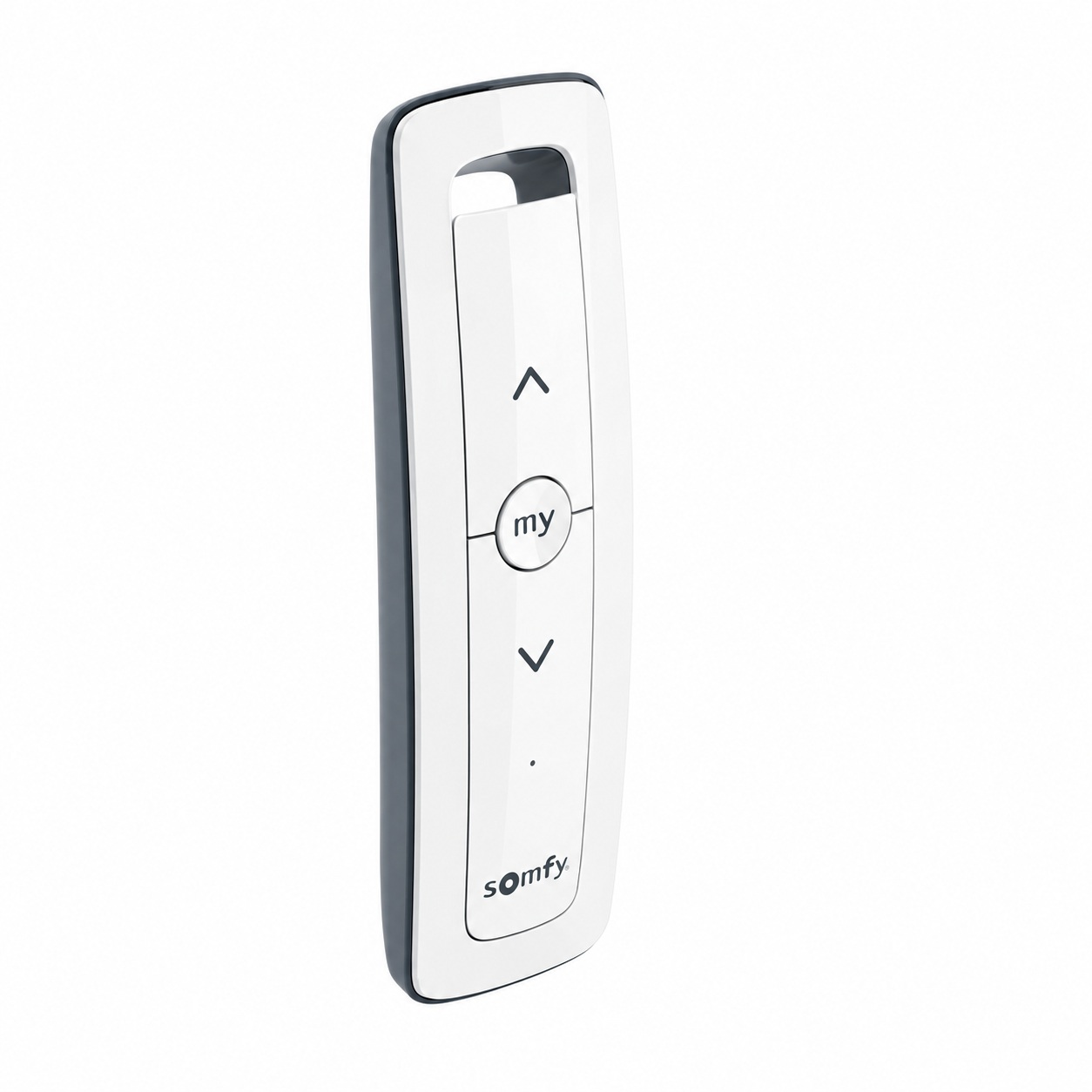
Discover comfort and modern technology with the Somfy Situo RTS remote control . Designed to offer unparalleled control over your blinds, this device is essential for those seeking comfort and efficiency in their home. Learn more about its unique features and how it can enhance your daily life.
The Somfy Situo RTS remote control stands out for its advanced technology and ergonomic design. Discover how its key features offer you unparalleled control.
This remote control uses Somfy Radio Technology (RTS) , ensuring compatibility with all Somfy RTS products. Its integration is simple and efficient, guaranteeing smooth, interference-free operation.
With an effective range of up to 20 meters even through two concrete walls, the Somfy Situo RTS ensures that your instructions are received no matter where you are in your home.
Its sleek, contemporary design not only complements any décor but is also extremely practical. Lightweight and compact, it measures only 145mm in length , making it easy and comfortable to handle.
Adopting the Somfy Situo RTS remote control in your home not only simplifies the management of your blinds, but also brings a series of advantages that improve your daily quality of life and control over your home environment.
The intuitive design of the Somfy Situo RTS remote control makes it easy for everyone in the family to use. With just the touch of a button, you can conveniently control your blinds from anywhere in your home, eliminating the need for manual adjustments and providing instant access to privacy and natural light.
The remote control allows for complete customization of scenarios to automate the operation of your blinds. You can program them to open and close at specific times of day to maximize energy efficiency, increasing or decreasing the amount of light entering the room according to your needs and schedule.
Using the Somfy Situo RTS remote control, you can improve your home security by simulating occupancy through the automatic movement of your blinds during extended absences. This deterrent system can be crucial in preventing intrusions and protecting your home.
Installing your new Somfy Situo RTS remote control is a straightforward and quick process. Follow these steps carefully to ensure your remote works correctly and is ready to use in no time.
No, this remote is designed exclusively to be compatible with Somfy RTS products.
Yes, the Somfy Situo RTS can handle multiple RTS devices simultaneously.
First, check the batteries and make sure there are no objects obstructing the signal. If the problem persists, consult the user manual or contact technical support.
Yes, the remote control allows you to program schedules to automate the movement of your blinds, making it easier to manage light and privacy.
The Somfy Situo RTS remote control is an essential tool for modern control of blinds and curtains in your home. It combines functionality, convenience, and advanced technology to offer you the best home automation experience. Adapt it to your lifestyle and watch your environment transform.
| Color Mando | Puree |
|---|
Choosing the right motor for your blinds is crucial for optimizing the functionality and efficiency of your home or business. In this post, we’ll help you understand the different types of motors, their features, and how to select the most suitable one based on the type of blinds, their weight, and your preferred activation system. […]
javier18 April 2024

Manually opening an automatic garage door can be necessary in unforeseen situations such as power outages or problems with the remote control. If you find yourself in this situation, don’t worry. The process is simple and safe if you follow the correct steps. We’ll explain how to locate the unlocking mechanism and how to operate […]
javier18 October 2024

Have you considered improving the comfort of your home without complications? Converting a manual blind to an electric one is a practical solution that saves time and effort, as well as increasing your home’s energy efficiency. With the right motor , the process is simpler than it seems. In this post, you’ll learn step-by-step how […]
javier9 September 2024
Lorem ipsum dolor sit amet, consectetur adipiscing elit. Ut ac lorem sed felis porta mollis id nec massa. Phasellus nec efficitur sapien. Morbi orci neque, placerat ac tellus quis, pretium varius ex. Aliquam rhoncus lobortis gravida. Proin accumsan quam eget volutpat consectetur. Nam a neque et ante sodales feugiat. Aliquam dapibus sed neque vitae ullamcorper. Aliquam erat volutpat. Aliquam nec pellentesque sapien. Nullam a blandit est, in facilisis ante. Pellentesque venenatis vitae leo vulputate malesuada. Maecenas posuere enim metus, vel elementum tellus convallis sit amet. Mauris lobortis neque eget diam congue, id elementum magna feugiat. Etiam semper id elit et commodo. Curabitur sit amet ligula massa.
Lorem ipsum dolor sit amet, consectetur adipiscing elit, sed do eiusmod tempor incididunt ut,labore et dolore magna aliqua. Ut enim ad minim veniam,