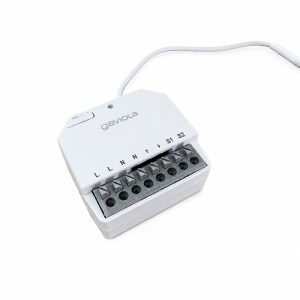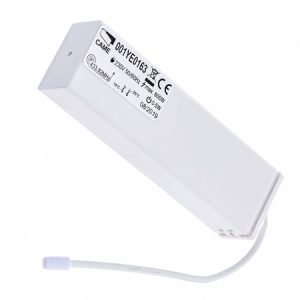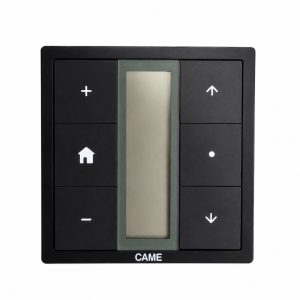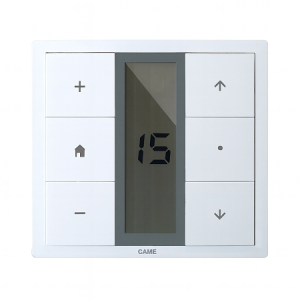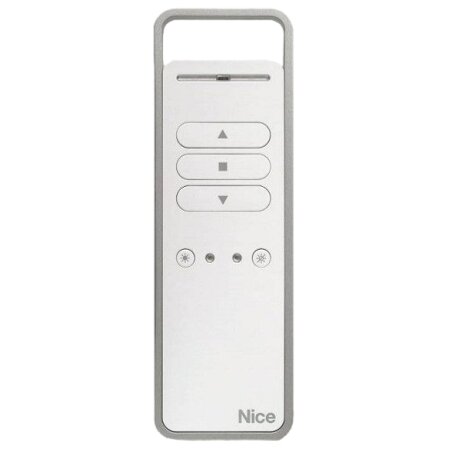
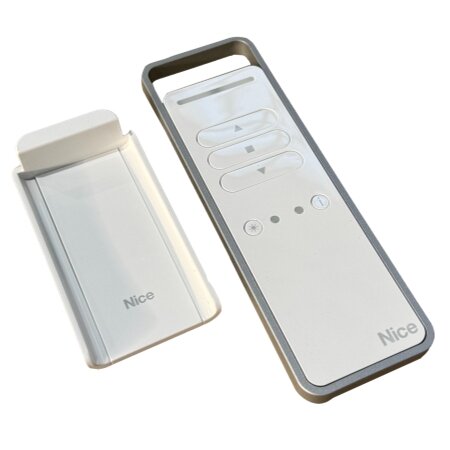
Discover the NICE P1S Bidirectional Remote Control , the perfect tool for efficient and safe control of your blinds and other home devices. Featuring cutting-edge technology and an innovative design, this remote offers exceptional ease of use and compatibility.
The NICE P1S stands out for its technological innovations and ease of integration into home systems. Every feature is designed to provide uncomplicated convenience and security.
The NICE P1S’s bidirectional technology allows two-way communication between the remote and your devices , ensuring that the signal sent is received and confirmed, significantly reducing transmission errors and increasing security.
This remote control is compatible with a wide range of devices, from blinds to alarm systems, thanks to its versatile connectivity technology. It integrates seamlessly into your existing home system , enabling highly efficient centralized control.
With its ergonomic design and high-quality materials , the NICE P1S is both stylish and durable. Its robust construction ensures a long lifespan, while its shape and size allow for comfortable and safe handling.
Discover the detailed specifications that make the NICE P1S an excellent choice for remote device control.
Discover the key benefits that make the NICE P1S remote control an indispensable tool in your home.
Installing the NICE P1S remote control is a simple process that you can complete in just a few steps. Be sure to follow this detailed guide for a smooth and correct installation.
First, check that the batteries are properly installed and fully charged. Make sure there are no obstacles blocking the signal between the remote and the device. If the problem persists, try reprogramming the remote with the device.
To reprogram the remote, locate the specific programming button mentioned in the user manual. Press and hold this button while pointing the remote at the device until you receive a confirmation signal, such as a flashing light or a sound, indicating that the reprogramming was successful.
The remote is compatible with most home automation systems and blind models that accept 433.92 MHz signals. However, it’s recommended to check the compatibility list in the user manual or on the manufacturer’s website to confirm that your specific model is compatible.
Yes, the NICE P1S remote control can be programmed to control multiple devices as long as they all operate within the same frequency range and are compatible. This allows for greater flexibility and convenience when managing multiple automation systems from a single controller.
The NICE P1S Bidirectional Remote Control is a technologically advanced and reliable solution for controlling devices in the home. It offers security, convenience, and superior compatibility, making it a valuable investment for modern home automation.
Choosing the right motor for your blinds is crucial for optimizing the functionality and efficiency of your home or business. In this post, we’ll help you understand the different types of motors, their features, and how to select the most suitable one based on the type of blinds, their weight, and your preferred activation system. […]
javier18 April 2024

Being locked out of your garage due to a motor failure can be frustrating and inconvenient. Fortunately, unlocking your garage door motor is easier than you might think. This guide will show you step-by-step how to perform this process safely and efficiently, ensuring you can access your garage in any situation. Get ready to regain […]
javier25 April 2024

Motorizing your blinds can transform the comfort and security of your home, allowing for easier and more efficient control of light and privacy. However, costs can vary significantly depending on factors such as the type of blinds, the motorization system chosen, and the complexity of the installation. In this post, we’ll explore the available options, […]
javier18 April 2024
Lorem ipsum dolor sit amet, consectetur adipiscing elit. Ut ac lorem sed felis porta mollis id nec massa. Phasellus nec efficitur sapien. Morbi orci neque, placerat ac tellus quis, pretium varius ex. Aliquam rhoncus lobortis gravida. Proin accumsan quam eget volutpat consectetur. Nam a neque et ante sodales feugiat. Aliquam dapibus sed neque vitae ullamcorper. Aliquam erat volutpat. Aliquam nec pellentesque sapien. Nullam a blandit est, in facilisis ante. Pellentesque venenatis vitae leo vulputate malesuada. Maecenas posuere enim metus, vel elementum tellus convallis sit amet. Mauris lobortis neque eget diam congue, id elementum magna feugiat. Etiam semper id elit et commodo. Curabitur sit amet ligula massa.
Lorem ipsum dolor sit amet, consectetur adipiscing elit, sed do eiusmod tempor incididunt ut,labore et dolore magna aliqua. Ut enim ad minim veniam,