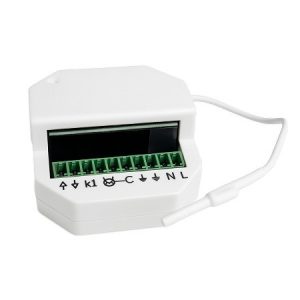
The home automation interface transforms the way we interact with our homes. With advanced technology, it allows us to control multiple devices from a single point, making life more comfortable and efficient. Below, we’ll explore what a home automation interface is, its main features, benefits, and how to install it.
What is a Home Automation Interface?
A home automation interface is a system that centralizes the control of various smart devices in the home . Through it, users can manage lights, blinds, security systems, and more, using a single device or app. This facilitates automation and improves home efficiency.
Key Features
Home automation interfaces are designed for convenience and efficiency. Below, we detail their most outstanding features.
Remote control
It lets you control your home devices from anywhere using a smartphone or tablet. Whether you’re at work or traveling, you can easily turn on lights, adjust the temperature, or control the blinds.
Integration with devices
It connects with a wide range of smart devices, from light bulbs and thermostats to security and entertainment systems. This integration ensures a seamless and uninterrupted experience.
Task automation
Set up daily routines to automate household tasks. For example, the blinds can go up at dawn and down at dusk, without any manual intervention.
Safety and security
Enhance your home security with features like remote monitoring and instant alerts. You can receive real-time notifications if any unusual activity is detected, keeping your home protected.
Benefits of using a home automation interface
Home automation interfaces not only offer convenience, but also a number of significant benefits that improve quality of life.
- Energy savings: They allow for efficient management of energy use in the home. With automation and remote control, electricity consumption can be reduced, resulting in lower energy bills.
- Convenience and comfort: They simplify daily life by automating routine tasks and allowing remote control of devices. No more worrying about leaving the lights on or manually adjusting the temperature.
- Enhanced security: They provide an extra layer of security through constant monitoring and instant alerts. You can rest easy knowing your home is being watched even when you’re not there.
- Customization and scalability: They offer the flexibility to customize the system according to the user’s needs and to add new devices as required, adapting to changes in lifestyle or home structure.
Step-by-step installation
Installing a home automation interface is a simple process if you follow these steps:
- Step 1: Check the system requirements: Make sure all the devices you plan to connect are compatible with the home automation interface. Consult the manufacturer’s technical specifications and recommendations.
- Step 2: Download the corresponding application: On your smartphone or tablet, download the official DOMOTICO interface application from the application store (App Store or Google Play).
- Step 3: Connect the interface to your Wi-Fi network: Connect the DOMOTICO interface to your home Wi-Fi network. Follow the instructions in the app to complete the initial setup.
- Step 4: Add and configure smart devices: Add each smart device one by one to the DOMOTICO interface. Follow the specific instructions for each device within the application to ensure they are configured correctly.
- Step 5: Set up routines and automations: Use the app to create routines and automations that simplify your daily life. Set up automatic actions, such as adjusting the blinds at dawn or turning on the lights at dusk.
- Step 6: Test the system: Verify that all devices are functioning correctly and that automations are running as expected. Perform additional tests if necessary to ensure optimal performance.
- Step 7: Customize according to your preferences: Adjust the settings of the DOMOTICO interface and connected devices to better suit your daily needs and preferences.
Frequently Asked Questions
What devices can I connect to a home automation interface?
You can connect lights, thermostats, security cameras, motorized blinds, and more.
Do I need technical knowledge to install a home automation interface?
No, most interfaces are designed for easy installation and come with step-by-step guides.
Can I control my home from outside the house?
Yes, you can control and monitor your home from anywhere using your smartphone or tablet.
Is the DOMOTICO interface compatible with voice assistants?
Yes, most interfaces are compatible with voice assistants like Alexa and Google Assistant.
Home automation interfaces are revolutionizing the way we interact with our home environment. They offer convenience, efficiency, and security, adapting to the evolving needs of the modern home. With easy installation and numerous benefits, they are a worthwhile investment for any smart home.