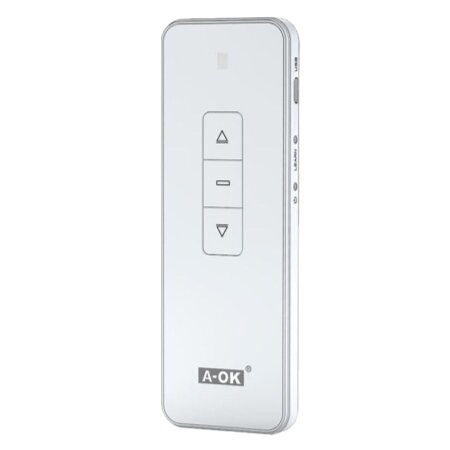
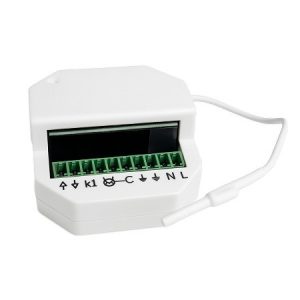
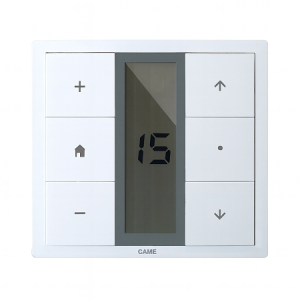
Discover the power and flexibility of the A-OK Series USB Deluxe 6-Channel Remote Control , designed to enhance your experience with blinds and automated systems. Compact, versatile, and easy to use, this remote is the perfect solution for efficiently managing multiple devices.
Technical specifications
This remote control stands out not only for its elegant design, but also for its advanced functionality:
Operating frequency : 433 MHz, providing a robust and interference-free range.
Channels : 6 independent channels to control different groups of blinds or devices.
Power supply : USB rechargeable battery, ensuring durability and easy maintenance.
Compatibility : Works with all A-OK motors and compatible devices with the same frequency.
Dimensions : Compact and lightweight design, ideal for everyday use.
Advantages of using the a-ok series usb deluxe remote control
The A-OK Series USB Deluxe Remote Control offers multiple benefits that simplify daily life:
Ease of use : Intuitive configuration that allows any user to operate the controller without complications.
Flexibility : Control multiple devices with a single remote, eliminating the need for multiple controls.
Energy efficiency : Its USB charging system helps reduce the consumption of disposable batteries.
Improved range : Its advanced technology ensures effective long-distance control.
Installation Guide
Setting up your A-OK Series USB Deluxe 6-Channel Remote Control is a straightforward process and requires no specialized tools. Follow these simple steps to start enjoying complete control over your automated blind systems:
Step 1: Charge the controller : Before using the controller for the first time, make sure to fully charge it using the included USB cable. An indicator light will let you know when charging is complete, which usually takes about 2 hours.
Step 2: Turn on the controller: Press the power button located on the side of the controller. You should see the screen light up, indicating that it is ready to be set up.
Step 3: Activate programming mode : Press and hold the programming button until the remote enters synchronization mode, which is indicated by a rapid flashing of an LED on the front panel.
Step 4: Sync the remote with your blinds : Go to the first blind or device you want to control. Locate the device’s receiver and activate its receive mode, usually using a button or button combination specified in the device’s manual. Return to the remote and select the channel you want to associate with that blind. Press the sync button on the remote and then confirm that the blind makes a small opening and closing movement, indicating successful synchronization.
Step 5: Repeat for other devices: If you have more devices or blinds to control, repeat step 4 for each one, assigning a different channel on the remote for each new device. This allows for individual or group control depending on how you assign the channels.
Step 6: Final verification: Once all devices are synchronized, perform a general test using the remote control to ensure that each channel operates correctly with its corresponding device.
Frequently Asked Questions
Is it possible to program a single remote control to operate blinds in different rooms?
Yes, the remote allows you to program up to six different channels, giving you the flexibility to control blinds in various areas of your home or office independently or simultaneously.
What should I do if the remote control fails to sync with a blind?
Make sure both the remote and the blind are in pairing mode and that there are no physical obstacles blocking the signal. If the problem persists, restart the remote and try the pairing process again.
How can I adjust the speed of the blinds’ movement using the remote control?
Although the standard settings are usually adequate for most users, you can adjust the speed of the blinds by accessing the settings menu on the remote control, selecting the corresponding channel, and adjusting the speed settings according to your preferences.
What safety precautions should I take when using the remote control?
It’s important to keep the controller out of the reach of children and avoid exposing it to moisture or extreme heat. Also, remember to use only the charging cable provided to prevent damage to the controller or charging system.
The A-OK Series USB Deluxe 6-Channel Remote Control is an essential tool for any modern home. It combines advanced functionality with simple and efficient operation , offering exceptional control over your automated devices. Perfect for enhancing the comfort and efficiency of your home or business.
Technical Specifications for A-OK Series USB Deluxe 6-Channel Remote Control
Additional information
Reviews for A-OK Series USB Deluxe 6-Channel Remote Control
Choosing the right motor for your blinds is crucial for optimizing the functionality and efficiency of your home or business. In this post, we’ll help you understand the different types of motors, their features, and how to select the most suitable one based on the type of blinds, their weight, and your preferred activation system. […]
Have you considered improving the comfort of your home without complications? Converting a manual blind to an electric one is a practical solution that saves time and effort, as well as increasing your home’s energy efficiency. With the right motor , the process is simpler than it seems. In this post, you’ll learn step-by-step how […]
Is Your Motorized Blind Not Going Up? This problem is common in motorized systems and can be due to various causes affecting the motor, wiring, or mechanical components. If this has happened to you and you need a quick and effective solution, you’ve come to the right place. Here, we explain the main causes and […]
javier13 November 2024
Subscribe now!
Lorem ipsum dolor sit amet, consectetur adipiscing elit. Ut ac lorem sed felis porta mollis id nec massa. Phasellus nec efficitur sapien. Morbi orci neque, placerat ac tellus quis, pretium varius ex. Aliquam rhoncus lobortis gravida. Proin accumsan quam eget volutpat consectetur. Nam a neque et ante sodales feugiat. Aliquam dapibus sed neque vitae ullamcorper. Aliquam erat volutpat. Aliquam nec pellentesque sapien. Nullam a blandit est, in facilisis ante. Pellentesque venenatis vitae leo vulputate malesuada. Maecenas posuere enim metus, vel elementum tellus convallis sit amet. Mauris lobortis neque eget diam congue, id elementum magna feugiat. Etiam semper id elit et commodo. Curabitur sit amet ligula massa.
Newsletter
Lorem ipsum dolor sit amet, consectetur adipiscing elit, sed do eiusmod tempor incididunt ut,labore et dolore magna aliqua. Ut enim ad minim veniam,