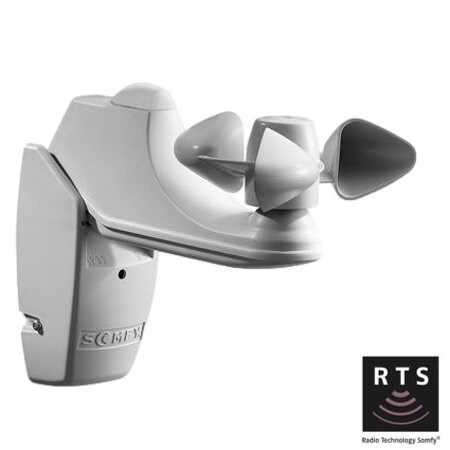
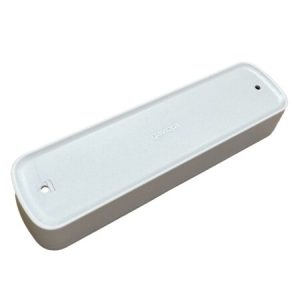
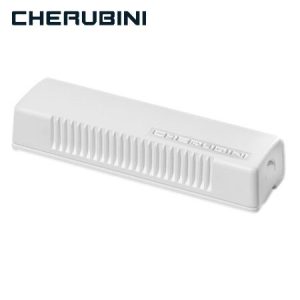
The Soliris RTS Wind and Sun Sensor is an advanced solution designed to improve comfort and energy efficiency in your home. This smart device combines wind and sun detection to protect your awnings and blinds, ensuring automatic and safe operation.
Product description
This multifunctional sensor is essential for any home automation system. Here are its main features:
Wind and sun sensor function: Detects weather conditions and automatically adjusts awnings and blinds.
Technical specifications: Includes RTS technology, with a range of up to 20 meters.
Materials and durability: Made with weather-resistant materials, ensuring a long lifespan.
Benefits of Soliris RTS
The Soliris RTS offers multiple advantages that make it an ideal choice for any modern home:
Energy saving: Optimizes the use of natural light and reduces electricity consumption by automating the management of awnings and blinds according to weather conditions.
Awning and blind protection: Automatically detects strong winds and excessive sun exposure, adjusting awnings and blinds to prevent damage and prolong their lifespan.
Convenience and automation: The sensor allows for hands-free operation, automatically adjusting to environmental conditions. This ensures your awnings and blinds function optimally at all times.
Improved indoor comfort: By automatically regulating the amount of sunlight entering the room, the Soliris RTS helps maintain a comfortable indoor temperature, reducing the need for additional heating and cooling systems.
Easy integration: Compatible with home automation systems, the Soliris RTS integrates easily with other devices and remote controls, offering a centralized and efficient solution.
Step-by-step installation guide
Installing the Soliris RTS Wind and Sun Sensor is a simple process that you can complete by following these detailed steps:
Tools needed: Make sure you have a screwdriver, a drill, the included screws, and a mounting bracket on hand. A level is also helpful to ensure straight installation.
Preparing the installation site: Choose a suitable location where the sensor can receive direct sunlight and wind without obstructions. Ensure it is away from permanent shadows and objects that could block the signals.
Physical installation of the sensor: Mark the mounting points on the wall using the sensor bracket as a template. Drill holes at the marked points. Attach the sensor bracket to the wall with the provided screws. Place the sensor in the bracket and secure it firmly.
Initial setup: Connect the sensor to the power supply, if necessary. Follow the instructions in the manual to pair the sensor with your automation system. Use the RTS remote control to adjust the wind and sun sensitivity to your preference. Refer to the manual for detailed instructions on how to make these adjustments. Perform a test run to ensure the sensor is correctly detecting wind and sun, and that the awnings or blinds are adjusting automatically as expected.
Frequently Asked Questions
How is wind sensitivity configured?
You can adjust the wind sensitivity using the RTS remote control. Refer to the manual for specific details on the settings.
Does the sensor work with any type of awning or blind?
Yes, the Soliris RTS is compatible with most motorized awning and blind systems.
What should I do if the sensor does not detect sunlight correctly?
Check that there are no obstructions in front of the sensor and that it is clean. If the problem persists, consult the manual for possible solutions.
How is the sensor maintained?
Maintenance is simple: clean the sensor regularly with a soft cloth and check that it is properly adjusted.
The Soliris RTS Wind and Sun Sensor is an excellent addition to any home, providing convenience and protection for your awnings and blinds. Its easy installation and numerous benefits make this sensor a smart investment for improving your home’s energy efficiency and security.
Technical Specifications for Soliris RTS Wind and Sun Sensor
Choosing the right motor for your blinds is crucial for optimizing the functionality and efficiency of your home or business. In this post, we’ll help you understand the different types of motors, their features, and how to select the most suitable one based on the type of blinds, their weight, and your preferred activation system. […]
Motorizing your blinds without any construction work is a practical and efficient solution for those looking to modernize their home without complications. Imagine controlling your blinds with a simple remote control! With the right motors, you don’t need to make any major modifications to your home. In this post, we’ll explain the benefits, types of […]
Are you thinking about taking the next step towards home automation? Automating blinds with Wi-Fi is one of the best ways to combine comfort, efficiency, and security. With an automated blind system, you can control the amount of light entering your home, protect your privacy, and save energy from anywhere using your mobile phone. In […]
javier13 August 2024
Subscribe now!
Lorem ipsum dolor sit amet, consectetur adipiscing elit. Ut ac lorem sed felis porta mollis id nec massa. Phasellus nec efficitur sapien. Morbi orci neque, placerat ac tellus quis, pretium varius ex. Aliquam rhoncus lobortis gravida. Proin accumsan quam eget volutpat consectetur. Nam a neque et ante sodales feugiat. Aliquam dapibus sed neque vitae ullamcorper. Aliquam erat volutpat. Aliquam nec pellentesque sapien. Nullam a blandit est, in facilisis ante. Pellentesque venenatis vitae leo vulputate malesuada. Maecenas posuere enim metus, vel elementum tellus convallis sit amet. Mauris lobortis neque eget diam congue, id elementum magna feugiat. Etiam semper id elit et commodo. Curabitur sit amet ligula massa.
Newsletter
Lorem ipsum dolor sit amet, consectetur adipiscing elit, sed do eiusmod tempor incididunt ut,labore et dolore magna aliqua. Ut enim ad minim veniam,