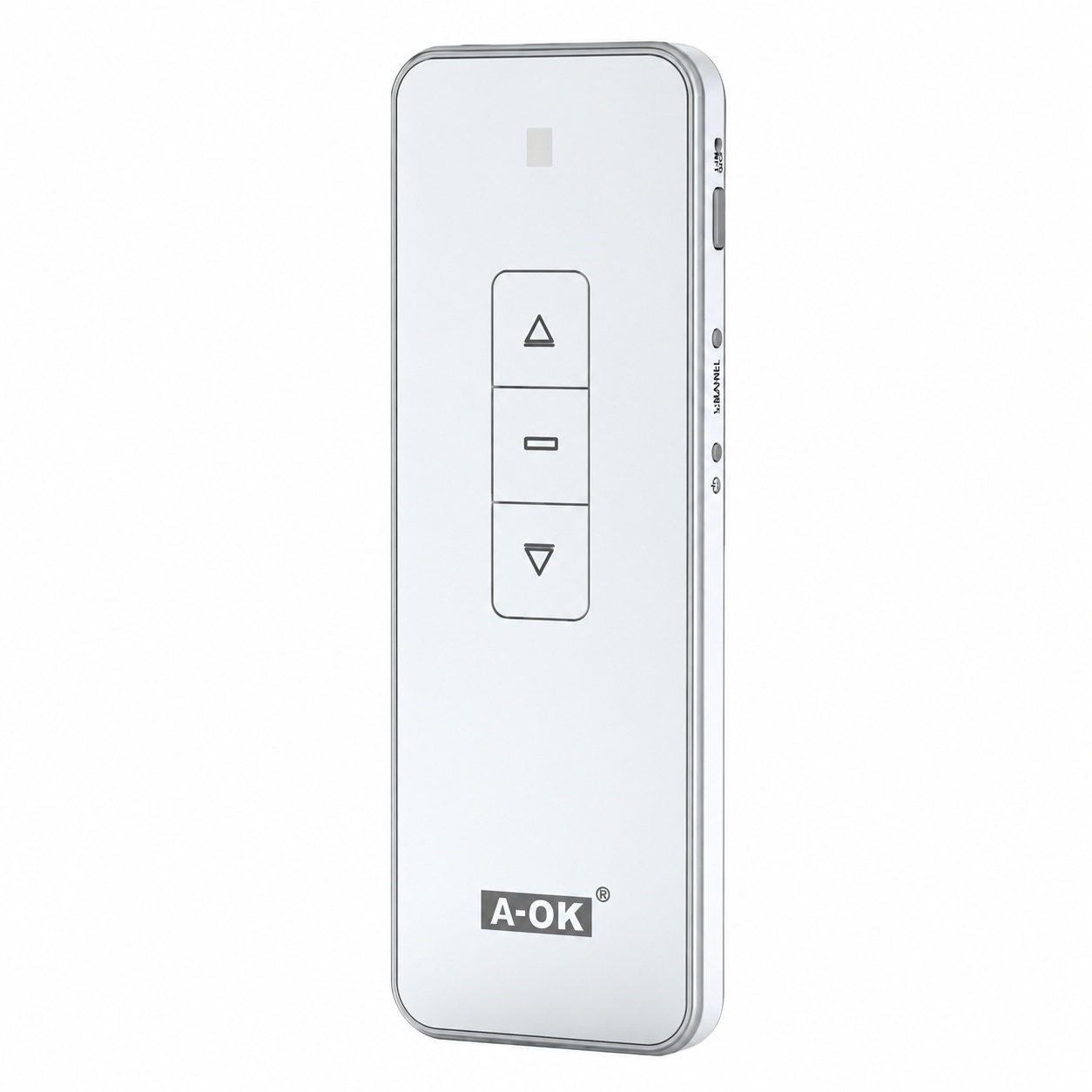
Elevate your home automation experience with the A-OK Series USB Deluxe 1-Channel Remote Control . Designed to offer complete control over your blinds with just one click, this device is the perfect combination of technological innovation and functionality. Ideal for the modern home, it simplifies your daily life with style and efficiency.
Key Features
Explore the advanced features that make the A-OK Remote Control an indispensable tool in your home. Every feature is designed to provide convenience and control.
Integrated USB technology
This innovative controller features USB technology for fast and easy charging . Simply connect the controller to any USB port and enjoy hours of playtime without worrying about extra batteries.
Compatibility and connectivity
Its compatibility with a wide range of blind models ensures that you can control almost any shading system from a single device, making it easy to manage your spaces.
Design and ergonomics
With its sleek design and comfortable grip , this controller fits perfectly in the palm of your hand. The buttons are designed for easy access and use, enhancing the user experience.
Dimensions and weight
Lightweight and compact, the controller measures 135mm x 45mm x 20mm and weighs only 100g , making it portable and easy to handle in any situation.
Effective scope
The remote control operates effectively up to 20 meters away , allowing remote control without needing to point directly at the blinds.
Battery and duration
The long-lasting battery ensures the controller is always ready to use. Enjoy up to 6 months of use on a single USB charge.
User guide
Maximize the efficiency of your A-OK Series USB Deluxe 1-Channel Remote Control with this practical and straightforward guide:
- Charging the device : Connect the controller to a USB power source using the supplied cable. An LED indicator will light up to show that charging has started and will automatically turn off when the controller is fully charged.
- Power On/Off : To turn the controller on, press and hold the power button for 3 seconds. To turn it off, repeat the process.
- Synchronizing your blinds : Make sure the remote is switched on and the blinds are in receive mode. Press the synchronization button on the remote until the blinds respond, indicating successful synchronization.
- Blind control : Use the up and down buttons to adjust the blinds to your preferred position. To stop the blinds at any point, press the stop button.
- Programming favorite settings : Adjust the blinds to the desired position and press and hold the memory button until the remote makes a sound or the indicator light flashes, confirming that the position has been saved.
- Factory reset : If you need to reset the remote to its original settings, press and hold the up and down buttons simultaneously for 10 seconds.
Frequently Asked Questions
How can I reset the remote if it stops working properly?
Press and hold the power button for 10 seconds to reset the device.
Is the controller waterproof?
No, the controller is not designed to be waterproof. Avoid exposing it to rain or moisture.
What should I do if the controller does not respond to synchronization?
Make sure the controller is charged and that there are no obstructions between the controller and the device you are trying to control.
Can I control more than one device with the same remote?
Yes, you can program the remote to operate multiple devices, following the synchronization instructions for each new device.
The A-OK Series USB Deluxe 1-Channel Remote Control is the perfect solution for those seeking convenience and control in managing their blinds and other home automation devices. Its intuitive design and advanced features offer a superior user experience and effortless integration into any modern home. Choose efficiency and style with this advanced remote.